Access restricted
Please do not worry!
This page is to avoid bots, hackers, unknown traffics & visitors accessing the actual login page and to the dashboard as well. Due to the current pandemic, there are more and more people are going online and that also encouraged more people to become hackers and bots are getting more active than ever before.
To protect our users, we want to make sure that you are not a robot, hacker and/or any unknown traffic and visitor, please watch the video tutorial below or follow the steps below the video:
Faster Response
Slower Response
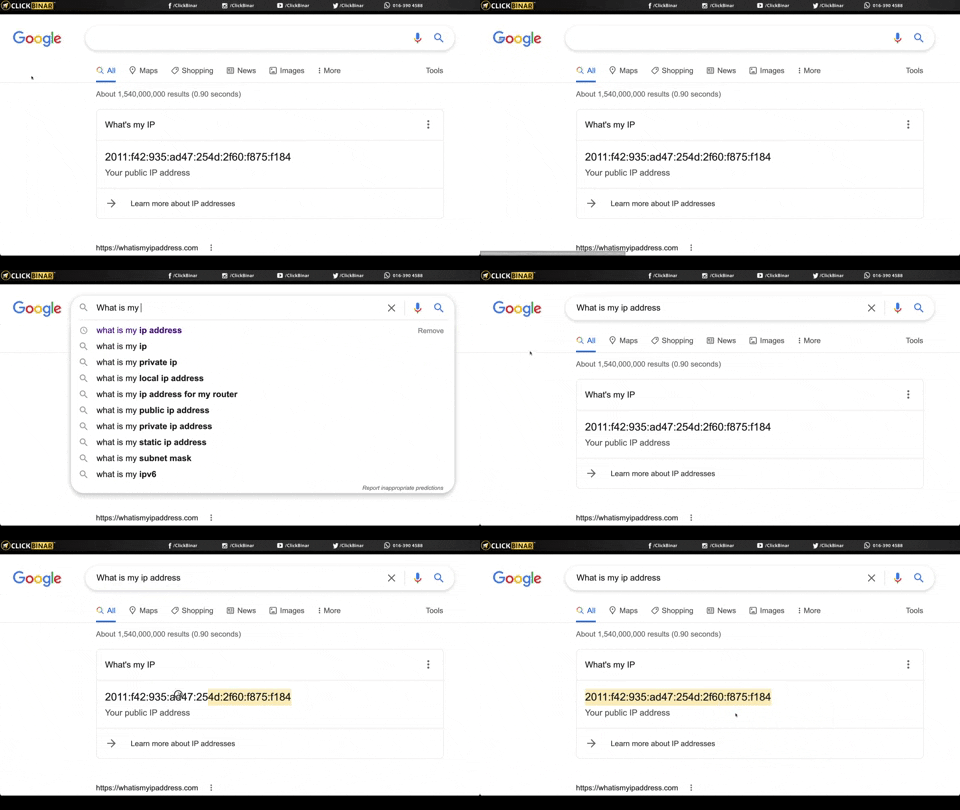
1. Make sure you are using Google Chrome browser
2. Google Search
3. Type "What is my IP address" in the search bar
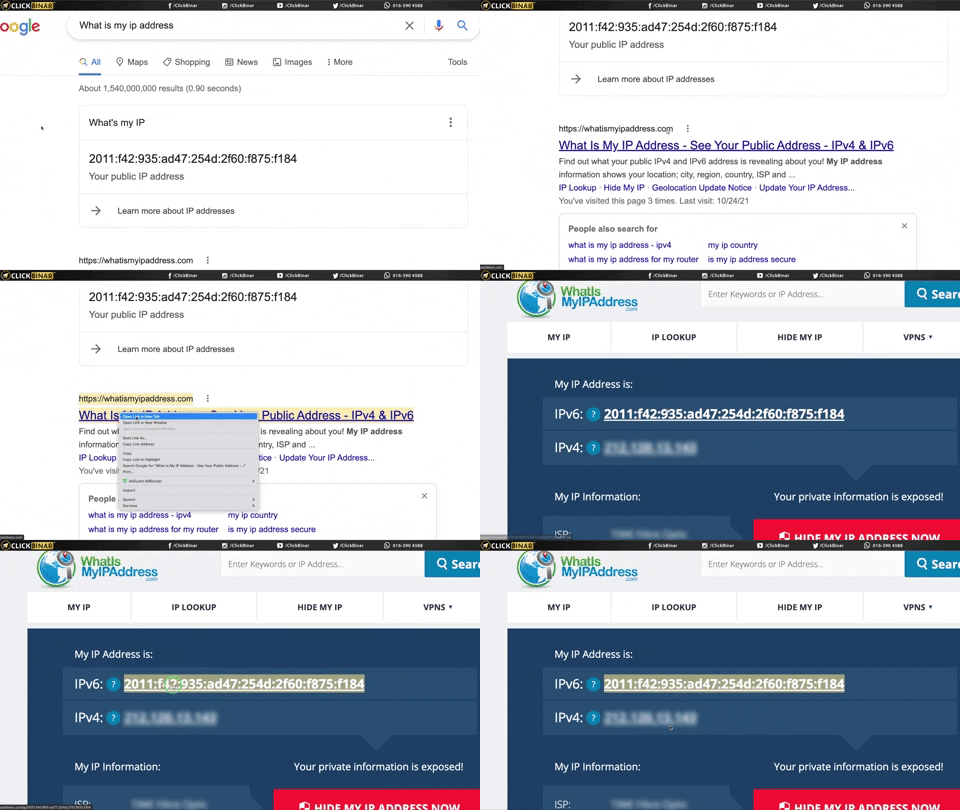
4. To double confirm your IP address.
Go to >> whatismyipaddress.com
5. Copy the IP address
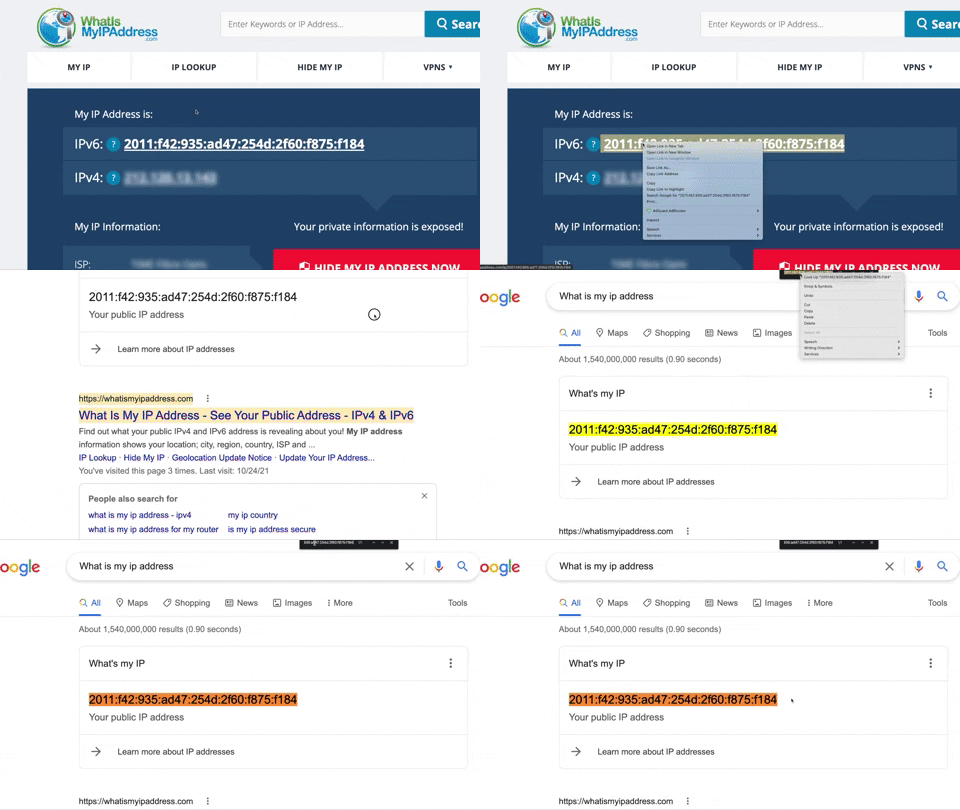
6. To check whether the IP address is correct, please use the find-and-search method
7. To find-and-serch:
Mac Users > Command F
Window Users > CTRL F or Control F
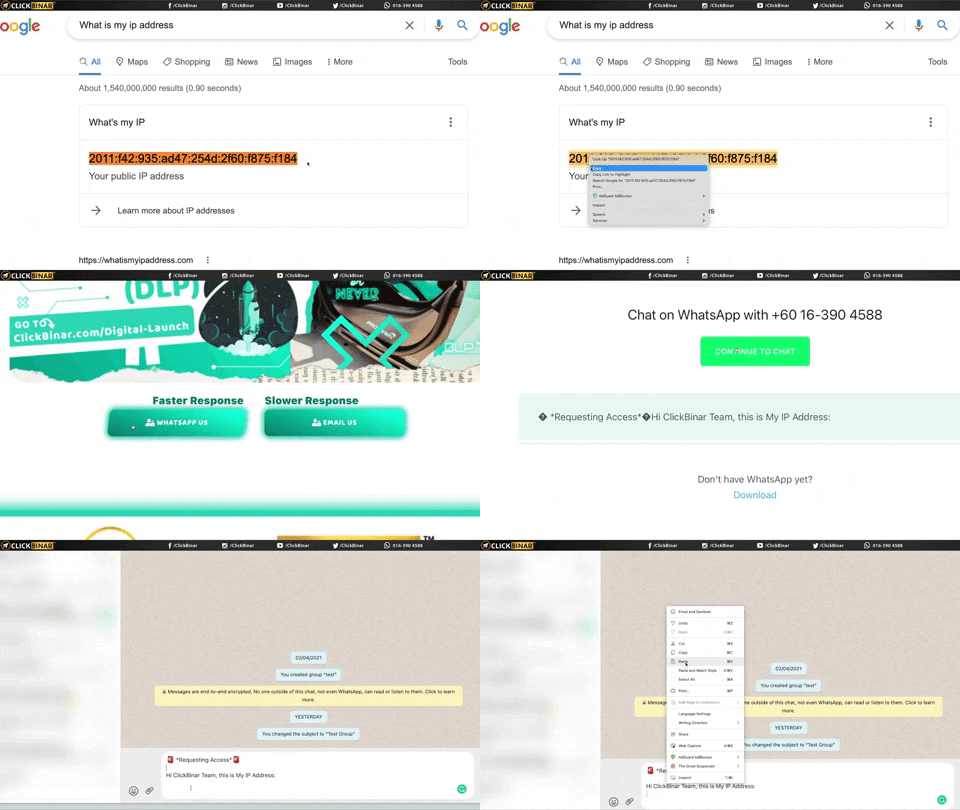
WhatsApp us and send us your IP address.
8. Copy your IP address
9. Click the WhatsApp Us Button
10. Paste your IP address
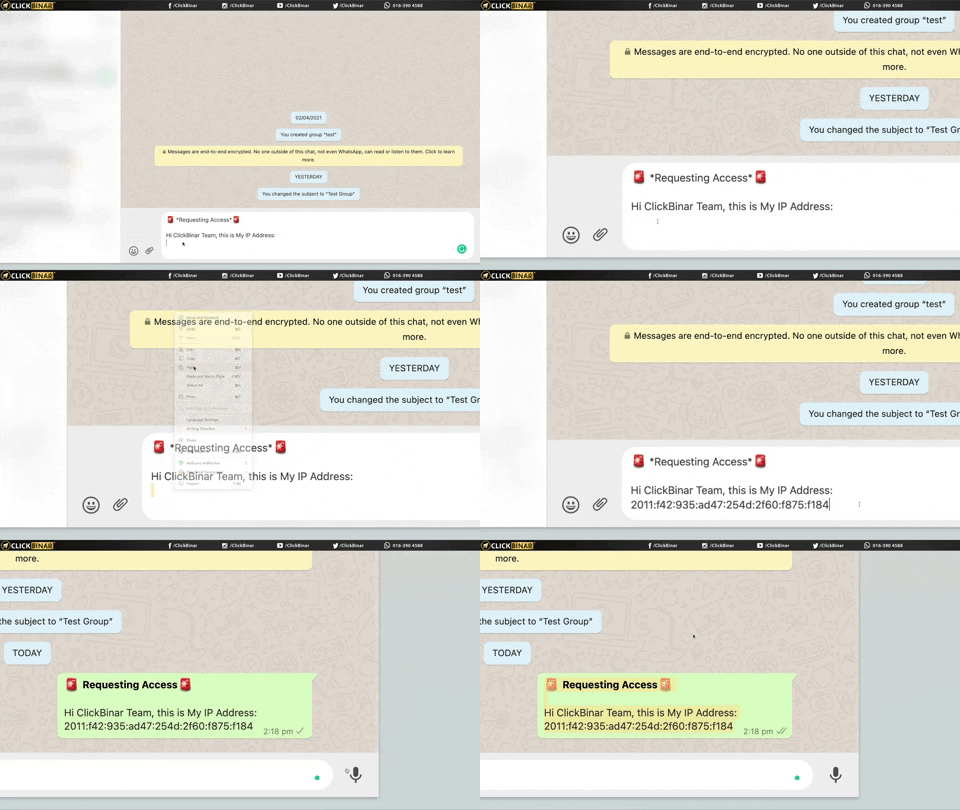
11. Paste your IP address on WhatsApp
12. Tab enter to send your IP address
13. Done!
Next is to wait for us to whitelist your IP address. Once, it is whitelisted, you can smoothly access to the login page and login to your dashboard.
Faster Response
Slower Response


Digital Launch Program
Copyright © 2018-2021 ClickBinar Solutions (PG0455019-W).
All Rights Reserved.